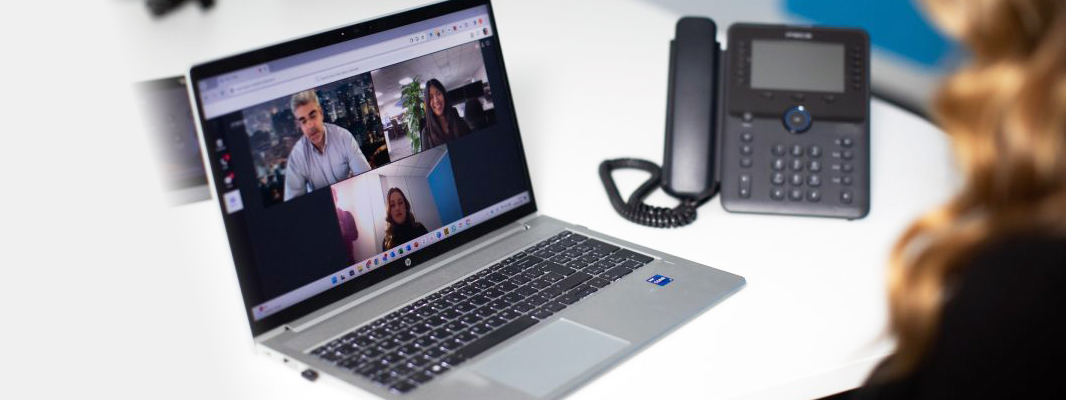
Call and receive calls from any landline or mobile number, directly inside Teams.
Auto Attendants & Call Queues
Route callers to the right team automatically, with professional greetings and hold music.
Number Porting
Keep your existing business numbers and bring them into Teams with a managed porting process.
Meetings & Screen Sharing
Video meetings, screen sharing and webinars, already built into the Teams your staff use daily.
Desk Phones & Headsets
Certified Teams handsets and headsets for staff who need a dedicated device alongside the app.
Call Analytics & Reporting
Visibility into call volumes, missed calls and response times across your business.
Benefits of calling in Teams
One app
Chat, meetings and calling all sit in Teams, so staff aren’t switching between separate phone and messaging tools.
Familiar for your team
Most staff already use Teams daily, so adding calling means little to no new training.
Work from anywhere
Answer business calls on the same number from a laptop, desk phone or mobile, wherever staff are working.
Keep your existing numbers
Port your current business numbers into Teams without disrupting customers or suppliers.
Clear call visibility
Built-in reporting shows call volumes and missed calls, helping you spot gaps in cover.
Managed from one place
Deployment, number porting and ongoing changes are handled for you.
Our most popular FAQs
What is Microsoft Teams Calling?
Teams Calling connects Microsoft Teams to the public phone network, letting your team make and receive calls to any landline or mobile directly from the Teams app.
Does this replace our existing phone system?
It can. Teams Calling is a full replacement for a traditional phone system, or it can run alongside your existing platform depending on your needs.
Do we need new hardware?
Not necessarily. Calling works from the Teams app on any device, though certified desk phones and headsets are available for staff who want a dedicated device.
Ensuring no business is left behind
Ensuring no business is left behind
Our Managed Print Service transforms how your business handles documents.
Content will go here that spots and solves problems before they impact your team.
Proactive, AI-powered IT support that spots and solves problems before they impact your team.
Confidence in your cyber resilience. From compliance to real-time protection.
Flexible platforms that scale with you, configured the right way from day one.